
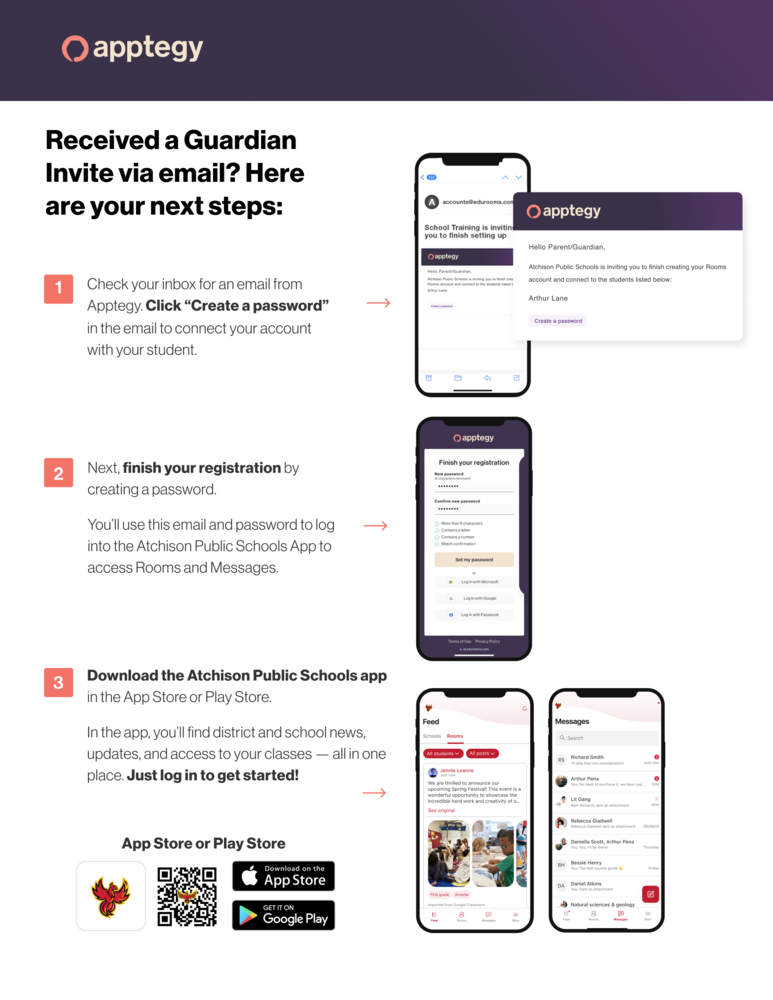
Received a Guardian Invite via email? Here are your next steps:
Check your inbox for an email from Apptegy. Click "Create a password" in the email to connect your account with your student.
Next, finish your registration by creatng a password. You'll use this email and password to log into the Atchison Public Schools App to access Rooms and Messages.
Download the Atchison Public Schools app in the App Store or Play Store. In the app, you'll find district and school news, updates, and access to your classes - all in one place. Just log in to get started!
Use the QR code above, or go to
Apple app store: https://apple.co/3Yw9aqW
Google Play: https://bit.ly/3Quyyvg